Tuesday, 31 March 2015

Final year computer science projects 2015

Computer Science is a diverse subject and this is reflected in the final year projects that our undergraduates undertake. This year, the final year project students that I supervise have chosen the following:
  • A simulation of Babbage's Analytical Engine to be used as an online educational tool. As the first design for a general purpose programmable computer, it's of huge importance, but there are few good resources to help explain it to the general public. This site will include some history about Babbage and Lovelace, and an interactive game where you get to program the engine. Technologies involved include client side web programming, expression parsing, and 3D graphics. (Rhian Watkins)
  • Geotagging of the digitised newspaper articles in the collection of the National Library of Wales. A mention of a placename in an article does not necessarily mean that the article is about that place (for example an article about "the Duchess of York). This project uses a gazetteer from Open Street Map data, NLP to extract features, and then various machine learning algorithms to see if we can tell which placenames are relevant and which are not.  (Sean Sapstead)
  • A version control system for DNA. Software version control systems are not so useful for storing details of whole genomes and the modifications made to them. We want to explore Darcs-like patches, and use of sequence alignment tools to help record and inspect DNA modifications, and to be able to apply multiple modifications in a different order. (Thomas Hull)
  • A tool for demonstrating the differences between two DNA sequences as audio/music and as animations. How can we show the public the differences between two strains of the Ebola virus, or the mutations in BRCA1 that can cause cancer? Sequence alignment tools and different translations and representations of the DNA strings are the key to this problem. (Andrew Poll, his project blog)
  • The Happy Cow Game: an online collaborative game that represents the process of feeding a cow with the correct balance of foodstuffs to optimise its health, meat and milk. This was initially developed as a board game by veterinary lecturer Gabriel de la Fuente Oliver, and he's now helping us to turn it into an online game. Technologies involved include the Ruby on Rails framework, client side web tools and libraries, and a detailed understanding of how to make a complex game playable. (Simeon Smith)
  • A tournament seeding tool for online gamers as part of Aber Community of Gamers. This one's going to collect data about previous games played, using APIs for the various online gaming platforms and then use interesting seeding algorithms to make sure that tournaments are fair and balanced. It's also producing the web site to support the community, using the Laravel framework. (Nathan Hand)
Andrew shows his prototype code for turning DNA differences into sound and animations to children in Science Week

Wednesday, 18 March 2015

Laboratory automation in a functional programming language


Whenever I write code in Haskell instead of other programming languages, it feels cleaner. Not just more elegant, but also more obviously correct. And that's not just about the lack of side effects and mutable variables. Haskell has stronger typing, which gives the programmer many guarantees and allows you to express more information about the code. It also has tools such as QuickCheck, in which you can state and test further properties that you believe to be true.

We wanted to bring these ideas to the area of laboratory automation. We've had some fairly large and complex lab automation systems in our lab over the years, with multiple robot arms, and dozens of devices to be serviced. These robot arms pass plastic plates containing yeast around incubators, washers, liquid handlers, centrifuge devises and so on. If the plates get deadlocked or left out of the incubator for too long because scheduling operations went wrong, then the experiment is ruined. However, this can happen if the scheduler needs to be able to make decisions on the fly during the experiments. It may need to decide what to do next based on the current instrument readings and current system capacity. So either you make a scheduler that's so simple that you know exactly what it will do in advance (but it can't do the workflow you really need), or you make a scheduler that's complex and flexible, but it's very difficult to analyse its properties. Hmm, I think Tony Hoare already suggested that choice.

So we've written a paper to demonstrate the benefits of programming a lab automation scheduler in Haskell, and in particular to demonstrate the kinds of properties that can be expressed and checked. We illustrate the paper with a fairly simple system and a fairly simple scheduler, but it's immediately obvious that more complex systems and schedulers can be explored by tweaking the code.

This paper was written by the three of us, coming together with three very different perspectives. Colin is a functional programming researcher at the Uni of York who enjoys opportunities to demonstrate the benefits of FP in real world problems. Rob works for PAA, an excellent lab automation company, who build complex bespoke systems (and software) for their clients. They built one of our lab automation systems. I'm both a user of such lab automation systems, and also a user of Haskell, without ever actually being an FP researcher.

The code is available as a literate Haskell file. The entire code is in this file, along with a complete description of what's going on and how it all works, and this file can easily be turned into a readable PDF document (which also includes all the code). https://github.com/amandaclare/lab-auto-in-fp

If you've been inspired by the ideas in this work, do please cite the paper:
C. Runciman, A. Clare and R. Harkness. Laboratory automation in a functional programming language. Journal of Laboratory Automation 2014 Dec; 19(6):569-76. doi: 10.1177/2211068214543373.
http://jla.sagepub.com/content/19/6/569.abstract

Abstract:
After some years of use in academic and research settings, functional languages are starting to enter the mainstream as an alternative to more conventional programming languages. This article explores one way to use Haskell, a functional programming language, in the development of control programs for laboratory automation systems. We give code for an example system, discuss some programming concepts that we need for this example, and demonstrate how the use of functional programming allows us to express and verify properties of the resulting code.


Tuesday, 10 March 2015

Python for Scientists

This year, 2014/2015, we started a new MSc course: Statistics for Computational Biology. We can see that there's a huge demand for bioinformaticians, for statisticians who can read biology, and for programmers who know about statistics and can apply stats to biological problems. So this new MSc encompasses programming, statistics and loads of the current hot topics in biology. It's the kind of MSc I would have loved to have done when I was younger.

As part of this degree, I'm teaching a brand new module called Programming for Scientists, which uses the Python programming language. This is aimed at students who have no prior programming knowledge, but have some science background. And in one semester we teach them the following:
  • The basics of programming: variables, loops, conditionals, functions
  • File handling (including CSV)
  • Plotting graphs using matplotlib
  • Exceptions
  • Version control using Git/Github
  • SQL database (basic design, queries, and using from SQLite from Python)
  • XML processing
  • Accessing data from online APIs 
We taught it as a hands-on module, lectures held in a room full of computers, programming as we go through the slides, with exercises interspersed and demonstrators on hand to help.


We had students sign up for this module from a surprisingly diverse set of backgrounds, from biology, from maths, from geography and even from international politics. We also had a large number of staff and PhD students from our Biology department (IBERS) who wanted to sit in on the module. This was a wonderful group of students to teach. They're people who wanted to learn, and mostly just seemed to absorb ideas that first year undergraduates struggle with. They raised their game to the challenge. 

Python's a great language for getting things done. So it makes a good hands-on language. However, it did highlight many of Python's limitations as a first teaching language. The objects/functions issue: I chose not to introduce the idea of objects at all. It's hard enough getting this much material comfortably into the time we had, and objects, classes and subclasses was something that I chose to leave out. So we have two ways to call functions: len(somelist) and somelist.reverse(). That's unfortunate. Variable scoping caught me out on occasion, and I'll have to fix that for next year. The Python 2 vs Python 3 issue was also annoying to work around. Hopefully next year we can just move to Python 3.


What impressed me most was the quality of the final assignment work. We asked the students to analyse a large amount of data about house sales, taken from http://data.gov.uk/ and population counts for counties in England and Wales taken from the Guardian/ONS. They had to access the data as XML over a REST-ful API, and it would take them approximately 4 days to download all the data they'd need. We didn't tell them in advance how large the data was and how slow it would be to pull it from an API. Undergrads would have complained. These postgrads just got on with it and recognised that the real world will be like this. If your data is large and slow to acquire then you'll need to test on a small subset, check and log any errors and start the assignment early. The students produced some clean, structured and well commented code and many creative summary graphs showing off their data processing and data visualisation skills.

I hope they're having just as much fun on their other modules for this course. I'm really looking forward to running this one again next year.

Monday, 9 March 2015

International Women's Day pub quiz

On Sunday 8th March 2015, Hannah Dee and I organised a pub quiz for International Women's Day. We wanted to highlight some famous women in science, but we don't expect people to know much about famous women in science. So how to do a quiz? We themed 5 rounds around the women:

1) The Mary Anning fossil hunting round
A huge word search with many words related to Mary Anning's work and fossils to find (including "ichtheosaur" and "she sells sea shells", "on the sea shore".

2) The Amelia Earhart aviation round
Create paper aeroplanes that will travel from Europe (over here) to America (over there) and land within an area marked by a hula hoop. We should have had planes crossing the Atlantic in the other direction, but oh well, we're in west Wales.

3) The Caroline Herschel stargazing round
Early astronomy was often about spotting small differences in maps of the heavens. Thanks to heavens-above.com we had a copy of the sky map for the evening, and another copy that had been modified with gimp. Spot the difference! Three Gemini twins?

4) The Barbara McClintock genome round
Here we used C. Titus Brown's shotgunator to make a set of short reads from a few sentences about the work of Barbara McClintock. The teams had to assemble the genome to decipher the sentences. It must have seemed as if transposons were at work, because with a few repeated words the sentences they were constructing did get rather jumbled.


5) The Florence Nightingale data visualisation round
Finally the teams got to use a box of stuff (pipe cleaners, stickers, fluorescent paper, googly eyes, coloured pens) to make the most creative version of this year's HESA stats on women employed in higher education.

The scales of employment in HE


No trivia or celebrities in the quiz at all!

Friday, 18 July 2014

Microscope webcam microtitre plate reading using image analysis

An A-level student has just spent two weeks with us for his work experience, and his project has been to investigate the use of a cheap microscope webcam as an alternative to an expensive plate reader for the measurement of the growth of yeast in microtitre plates. The longer term aim would be to mount this webcam on the deck of our Tecan Genesis liquid handler robot, and to have the robot arm move the plate under the webcam.

The webcam is a Veho VMS-004, used at 20x magnification, and it costs just £40. It was recognised automatically by Linux as a webcam and worked really well with the OpenCV library.
Robert Buchan-Terrey did an excellent job in interdisciplinary science in just two weeks, including the following:
  • Preparing media and growing yeast in our lab
  • Pipetting the yeast to make dilutions
  • Using the microscope webcam, taking images of the wells in the plate at intervals throughout the day, and corresponding plate readings with a real plate reader
  • Coding using Python and OpenCV to process the images (find the circular well, work out the average pixel intensity in the well)
  • Data analysis and stats to understand the results
He also produced a poster to demonstrate the findings and to take back to his school.

And the answer is: although he's just analysed the data from one time point so far, and we took no care to make sure the lighting conditions were stable when taking the images, or to shake the plates to evenly disperse the yeast, it really does look very plausible that we could use this in future. Averaging over 8 replicate wells gives a remarkable correspondence between image-analysis results and plate reader results. Individual wells are more variable, but still show promise. We've yet to test all the data, and to test the full range of the scale of optical density, but this looks extremely exciting.

Thanks very much to Wayne Aubrey and Hannah Dee for their help and expertise with the yeast biology and the image processing respectively.

Saturday, 21 June 2014

The Genome Game with Countdown and High Score Table

The Genome Game now has a part where you have to guess the rules (correspondence between genotype and phenotype) before the time runs out. If you guess correctly then you get to join the (local storage) high score table. It's also bilingual now, so you can play in the medium of Welsh.

http://genome-game.dcs.aber.ac.uk/game


Friday, 13 June 2014

Sewable wearable computing

I gave this as a very short talk at the recent BCS Mid-Wales Show and Tell. So I'm describing it here in case it's of use to others.  The presentation was mostly a collection of rather large photos but it can be downloaded at http://figshare.com/articles/Sewable_Wearable_Computing/1056536. I was inspired to give it a go by Charlotte Godley (@charwarz on Twitter) who ran a wearables workshop for Girl Guides using Adafruit Gemmas.  These are small Arduino chips on a mounted on a base, made by a company called Adafruit. The base has holes so that you can sew it onto items of clothing. Slide 2 shows a Gemma attached by crocodile clips to an LED, a light that can be programmed to flash in any colour. The Gemmas are very cheap, only £6.50 so you can safely play with electronics without spending too much if you break it.


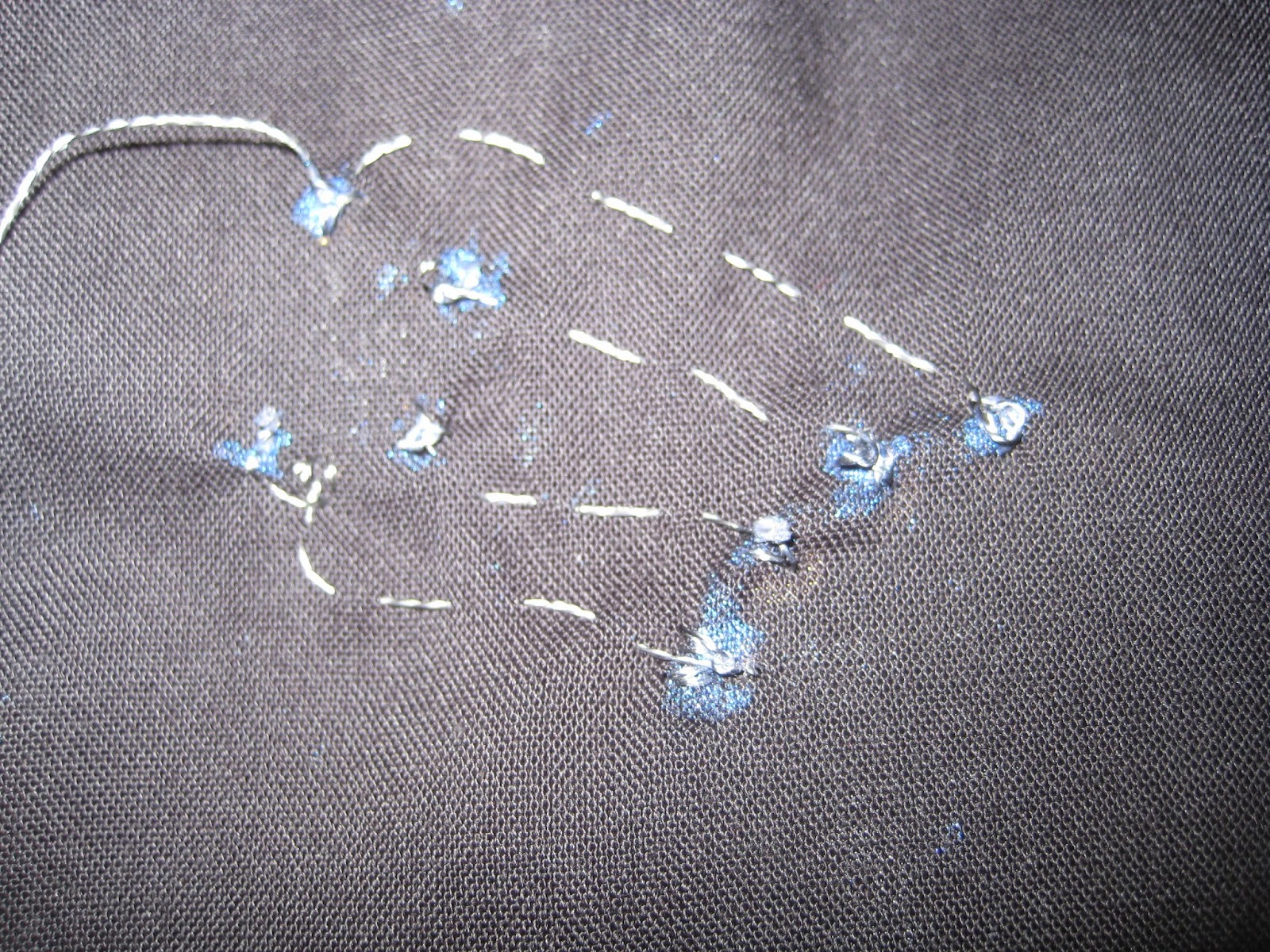
Steel thread can be used to sew your Gemma to its LEDs. This conducts and so replaces the crocodile clips (or soldering bits of metal) when you want to make wearable electronics. It's not that easy to sew. It doesn't bend and tie as easily as thread does, and can come undone, and make short circuits when it crosses other bits of thread. Also, the longer the thread, the higher the resistance.


After the Gemma, I got a Flora, it's bigger sister. This costs approx £20, and has more available connections. I wanted to attach an accelerometer and lights, and have the lights flash different colours in order to demonstrate the x, y or z direction of movement. The presentation shows how I put it together and how much it cost. You can see how it was stitched, how I used nail varnish to stop the knots in the ends of the steel thread from unravelling, and how it gets programmed using the Arduino environment.


The Adafruit site has a lot of useful explanations and videos about the Gemma and the Flora. You can buy the equipment from many sites (I used Phenoptix and 4tronix, both were good).


Overall, it was fiddly, but a lot of fun. Computing projects that have an element of real hardware, poor connections, and many parts, each of which could be wrong, are always harder to debug than software. I've never really played with electronics before, and I ended up learning a lot even in this simple project, about power, resistance and circuits. And I now have a thing with flashing lights that I can wear on my leg while dancing the Charleston.